
Artificial intelligence is changing how people learn, work, and create digital content. From explaining difficult subjects to preparing reports and ge
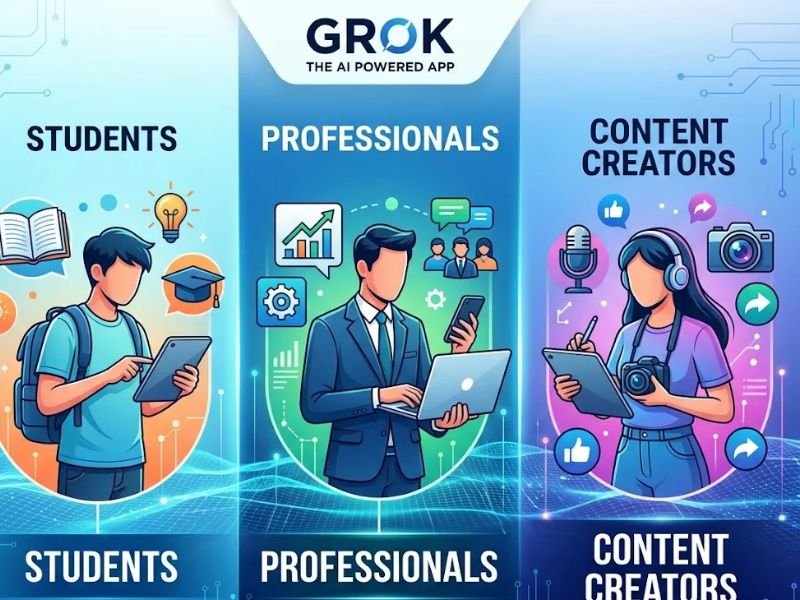
Artificial intelligence is changing how people learn, work, and create digital content. From explaining difficult subjects to preparing reports and generating visual ideas, AI assistants can help users complete many everyday tasks more efficiently. The Grok App for AI for Students, Professionals and Content Creators offers a combination of conversational assistance, web search, file analysis, and creative tools in one place. Developed by xAI, Grok is available through its website and mobile applications. Whether you are a student looking for study support, a professional conducting research, or a creator planning social media content, understanding its features can help you decide whether it suits your needs.
What Is the Grok App for AI?
The Grok app is an AI assistant that responds to questions, helps users explore information, supports writing, and assists with creative tasks. It can also search the web and X for information, analyze supported files, and generate images and videos through its Imagine features. Availability and usage limits depend on the selected plan and the feature being used.
Unlike a tool designed for only one purpose, Grok supports a range of activities through conversational prompts. Users can ask follow-up questions, request alternative explanations, refine written content, or explore a subject in greater detail. This flexibility makes it relevant to students, office workers, freelancers, and digital creators.
Key Features of the Grok App
1. AI Chat and Research
Grok can answer questions, explain concepts, brainstorm ideas, and help users organize information. Its web and X search capabilities can be particularly useful when exploring current events or researching a developing topic. However, AI responses can contain errors, so important claims should be checked against reliable sources.
2. Writing and Content Assistance
Users can ask Grok to brainstorm article ideas, outline blog posts, improve email drafts, summarize information, or suggest social media captions. Writers can also request different tones and formats to match their audience. These features can speed up early drafting, although reviewing and editing the final text remains important.
3. Image and Video Generation
Grok Imagine provides tools for creating and editing visual content. Depending on available access, users can explore image generation, image editing, and short video creation. These capabilities may help creators develop campaign concepts, illustrations, and visual assets without starting every project from scratch.
4. File Analysis and Voice Conversations
Grok supports file uploads for tasks such as summarization, information extraction, and document analysis. It also offers voice interactions, allowing users to communicate with the assistant by speaking rather than typing. These features can be useful when working with lengthy documents or when hands-free interaction is more convenient.
How Students Can Use Grok
Students can use Grok to understand difficult concepts, create revision questions, summarize study materials, and organize research topics. For example, someone learning mathematics could request a step-by-step explanation of a problem, then ask for similar practice questions to test their understanding.
It can also help students plan assignments by suggesting outlines and identifying areas that need further research. However, students should verify facts, consult course materials, and follow their institution’s academic integrity rules. Submitting AI-generated work without understanding or properly acknowledging assistance may violate academic policies.
How Professionals Can Benefit From Grok

Grok App for AI
Professionals often handle research, communication, planning, and document-heavy tasks. Grok can assist with drafting business emails, summarizing reports, brainstorming project ideas, and reviewing information. A marketing professional, for example, could use it to develop campaign concepts and generate several headline variations before selecting the most suitable one.
Freelancers and small-business owners may also use it to prepare content calendars, organize ideas, and explore customer questions. These tasks can become more efficient when users provide clear instructions and relevant context.
Nevertheless, AI-generated business information should be reviewed before it is shared with clients or used to make important decisions. For confidential or high-impact work, human judgment and appropriate expert review remain essential.
How Content Creators Can Use Grok
Content creators need fresh ideas and a steady supply of material for websites, blogs, and social media channels. Grok can help brainstorm video scripts, generate captions, develop content outlines, and explore visual concepts. Its image and video tools can provide additional options for creators experimenting with different formats.
For example, a creator planning a product promotion could use Grok to develop several advertising concepts, draft a short script, and explore possible visuals. The creator can then refine the strongest idea and adapt it to the intended platform.
AI-generated content should not automatically be published without review. Check factual claims, brand consistency, image quality, copyright considerations, and any platform rules that apply to AI-generated media.
Benefits and Limitations
The main advantage of the Grok App for AI for Students, Professionals and Content Creators is its range of capabilities. Instead of using separate tools for every task, users can access conversational assistance, research, document analysis, and creative features within one service. Its ability to search current web information can also help when a topic changes frequently.
However, Grok has limitations. It can produce inaccurate answers, misunderstand instructions, or generate visuals that need correction. Free access is subject to usage limits, while paid plans provide different allowances and features. Users should review the official Grok pricing page before choosing a subscription.
Privacy and Responsible Use
Before uploading documents or entering personal information, review the official privacy policy and understand how your data may be processed. Avoid sharing passwords, confidential client files, financial details, or sensitive academic records unless you have confirmed that the service and your account settings are appropriate for that information.
Users should also verify the permissions associated with connected tools and review generated content before sharing it publicly. Taking these precautions can help reduce unnecessary privacy and accuracy risks.
Conclusion
The Grok App for AI for Students Professionals and Content Creators offers a flexible collection of tools for learning, research, writing, document analysis, and creative production. Students can use it to support their studies, professionals can explore ways to streamline everyday tasks, and content creators can develop ideas and visual concepts.
Its usefulness ultimately depends on the user’s goals, the available features, and the quality of the instructions provided. By verifying important information, protecting sensitive data, and reviewing AI-generated output, users can make more informed decisions about incorporating Grok into their daily workflow.
Frequently Asked Questions
1. Is the Grok app free to use?
Grok offers free access with usage limits. Paid plans provide higher limits and additional features, depending on the subscription. Check the official pricing page for current details.
2. Can students use Grok for studying?
Yes. It can explain concepts, suggest practice questions, summarize materials, and help organize research. Students should verify information and follow their school’s academic policies.
3. Can Grok generate images and videos?
Yes. Grok Imagine supports image and video generation, although access and limits depend on the current plan and available features.
4. Is Grok useful for content creators?
It can help creators brainstorm topics, draft scripts, prepare captions, and explore visual ideas. Human review is still necessary before publishing.
5. Is it safe to upload files to Grok?
Review the official privacy policy and your account settings before uploading files. Avoid sharing sensitive or confidential information unless you understand how it will be handled.

COMMENTS