
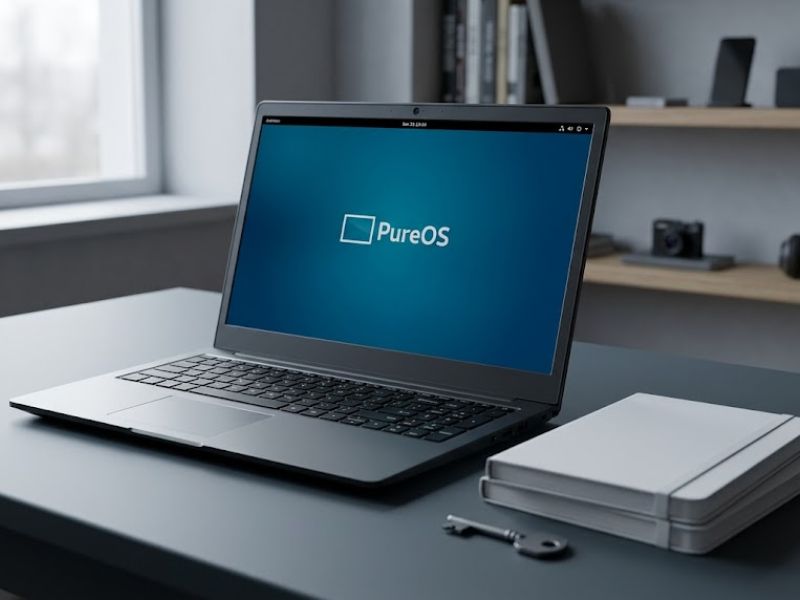
Introduction In a world where digital privacy is increasingly under threat, devices like the Librem 15 version 4 stand out as a powerful solution for
Introduction
In a world where digital privacy is increasingly under threat, devices like the Librem 15 version 4 stand out as a powerful solution for users who value security, transparency, and control. Unlike traditional laptops, this device is designed from the ground up to prioritize privacy, making it a favorite among developers, activists, and privacy-conscious individuals. This guide will explore everything you need to know about the Librem 15 version 4, including its features, performance, security tools, and why it remains relevant in today’s tech landscape.
What Is Librem 15 Version 4?
The Librem 15 version 4 is a privacy-focused laptop developed by Purism. It runs on open-source software and is built with security as a core principle. Unlike mainstream laptops, it avoids proprietary components wherever possible, giving users full control over their system. This device is part of a growing movement toward ethical computing, where users are not just consumers but also in control of their digital environment.
Key Features of Librem 15 Version 4
1. Hardware Kill Switches
One of the standout features of the Librem 15 version 4 is its hardware kill switches. These allow users to physically disable:
- Camera
- Microphone
- Wi-Fi and Bluetooth
This ensures that no malicious software can access these components without your knowledge.
2. Open-Source Operating System
The laptop comes with PureOS, a Linux-based operating system that is fully open-source. This means:
- No hidden tracking
- Full transparency
- Enhanced security
This commitment to open-source software makes the Librem 15 version 4 highly trusted among privacy advocates.
3. Coreboot Firmware
Unlike traditional BIOS systems, the Librem 15 version 4 uses Coreboot, an open-source firmware. This reduces the risk of hidden vulnerabilities and gives users more control over the boot process.
4. Full Disk Encryption
The laptop comes pre-configured with encryption tools like LUKS, ensuring that all your data remains secure. Even if the device is stolen, your data remains protected.
Performance and Specifications
The Librem 15 version 4 is not just about privacy, it also offers solid performance for everyday tasks.
Typical specifications include:
- Intel Core i7 processor
- Up to 32GB RAM
- SSD storage options
- 15.6-inch Full HD display
While the hardware may not always match the latest flagship laptops, it is powerful enough for development, browsing, and productivity tasks.
Design and Build Quality
The Librem 15 version 4 features a sleek aluminum body with a minimalist design. Unlike many branded laptops, it avoids flashy logos, emphasizing privacy even in its appearance. The keyboard is comfortable for long typing sessions, and the overall build quality is solid. The laptop is also designed to be upgradeable, allowing users to replace RAM, storage, and other components easily.
Privacy Advantages Over Traditional Laptops

Most modern laptops prioritize performance and design, but the Librem 15 version 4 focuses on privacy. Here’s how it stands out:
- No proprietary tracking software
- Open-source firmware and OS
- Physical control over hardware components
- Minimal data collection
This makes it an ideal choice for users who want complete control over their digital lives.
Who Should Buy Librem 15 Version 4?
The Librem 15 version 4 is not for everyone. It is best suited for:
- Privacy-conscious users
- Developers and programmers
- Journalists and activists
- Linux enthusiasts
If you rely heavily on proprietary software or gaming, this laptop may not be the best fit.
Limitations to Consider
While the Librem 15 version 4 offers excellent privacy features, it does have some drawbacks:
- Higher price compared to standard laptops
- Older hardware compared to modern devices
- Limited compatibility with some software
Despite these limitations, its focus on privacy makes it unique in the market.
Real-World Usage Experience
In everyday use, the Librem 15 version 4 performs well for tasks like browsing, coding, and document editing. The battery life is decent, typically lasting around 5–6 hours depending on usage. Users appreciate its reliability and the peace of mind that comes with enhanced security features.
Why Privacy-Focused Computing Matters
With increasing concerns about surveillance, data breaches, and online tracking, privacy-focused devices like the Librem 15 version 4 are becoming more important.
They empower users to:
- Protect personal data
- Avoid unwanted tracking
- Maintain digital freedom
This shift toward privacy-first technology is shaping the future of computing.
Future of Privacy Laptops
The success of devices like the Librem 15 version 4 has inspired other manufacturers to focus more on privacy and security.
As technology evolves, we can expect:
- More open-source hardware
- Stronger encryption standards
- Greater user control
This trend indicates a growing demand for ethical and transparent computing solutions.
Conclusion
The Librem 15 version 4 is a powerful example of what privacy-focused computing can achieve. While it may not compete with mainstream laptops in terms of raw performance, it excels in areas that truly matter: security, transparency, and user control. For anyone serious about protecting their digital privacy, this laptop offers a compelling and reliable solution. As concerns about data security continue to grow, devices like the Librem 15 version 4 will play a crucial role in shaping the future of technology.
FAQs About Librem 15 Version 4
1. What makes Librem 15 version 4 unique?
Its focus on privacy, open-source software, and hardware kill switches sets it apart.
2. Is Librem 15 version 4 good for everyday use?
Yes, it works well for browsing, coding, and general productivity tasks.
3. Does it support Windows?
It is designed for Linux, but Windows can be installed with some limitations.
4. Is it worth buying in 2026?
If privacy is your priority, it is still a strong choice.
5. Who should avoid this laptop?
Gamers and users dependent on proprietary software may find it less suitable

COMMENTS