

Introduction Running a small business often means handling many responsibilities at the same time. Owners and employees may spend hours answering ema
Introduction
Running a small business often means handling many responsibilities at the same time. Owners and employees may spend hours answering emails, managing customer information, sending invoices, scheduling tasks, and following up on leads. The right Small Business Automation Tools can reduce repetitive work and help teams focus on activities that require human attention. From business process automation to customer communication and financial management, modern software can simplify everyday operations. By using the right workflow automation software, companies can improve small business productivity without adding unnecessary complexity to their daily routines.
Why Small Businesses Need Automation
Small teams usually have limited time and resources. When employees repeatedly perform the same administrative tasks, important work can be delayed. Automation helps create repeatable processes that run with less manual effort.
For example, a business can automatically send a welcome email when someone becomes a customer or create a follow-up task when a sales lead fills out a form. These simple workflows can save time while making operations more consistent.
The goal of automation is not to remove people from every process. Instead, it should reduce repetitive tasks and give employees more time for customer service, problem-solving, planning, and growth.
1. Zapier
Zapier is widely used to connect different applications and automate actions between them. It can help businesses create workflows without building custom software from scratch.
For example, information from a website form can automatically be sent to a spreadsheet, CRM, or project management tool. This reduces duplicate data entry and helps information move between systems.
For businesses using multiple online tools, platforms like Zapier can support business process automation by connecting routine tasks into automated workflows.
2. HubSpot
HubSpot provides tools for customer relationship management, marketing, sales, and customer service.
Small businesses can use automation to organize contacts, follow up with leads, and manage communication.
For example, a business can create automated email sequences based on customer actions. This can help teams respond more consistently without manually sending every message.
HubSpot may be particularly useful for businesses that want customer information and marketing activities to work together in one ecosystem.
3. Trello
Trello is a visual project management tool that uses boards, lists, and cards to organize tasks.
Automation features can help teams move cards, assign tasks, or create actions based on specific triggers.
For a small team, this can reduce the amount of time spent manually updating project status.
It is especially useful for businesses that prefer a simple visual approach to managing daily operations.
4. Asana
Asana helps teams organize projects, tasks, deadlines, and responsibilities.
Automation can simplify recurring work by creating task templates and rules.
For example, a recurring project can automatically generate the same list of tasks each month.
This makes Asana a useful option for teams looking for workflow automation software that also supports collaboration and project visibility.
5. QuickBooks
Financial administration is another area where automation can save time.
QuickBooks can help businesses manage invoices, expenses, financial records, and other accounting-related tasks.
Automated invoicing and payment reminders can reduce the need for repeated manual follow-ups.
However, businesses should ensure that their accounting setup matches their local financial and tax requirements.
For complex accounting situations, professional advice may still be necessary.
6. Mailchimp
Mailchimp is widely used for email marketing and customer communication.
Automation features can help businesses send welcome messages, follow-up emails, and customer campaigns based on predefined triggers.
For example, when a new customer subscribes to a mailing list, the system can automatically send a welcome sequence.
This can support consistent communication while reducing the time required to manage every email manually.
7. Slack
Slack is a communication platform that helps teams organize conversations and information.
Automation can be used to send notifications from other business applications.
A sales team, for example, could receive an automatic notification when a new lead enters the CRM.
This helps employees stay informed without constantly checking multiple platforms.
For distributed teams, centralized communication can contribute to better small business productivity.
8. Calendly
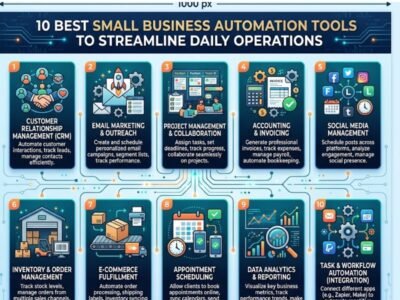
Small Business AutomationTools
Scheduling meetings can create unnecessary back-and-forth emails.
Calendly allows users to share available time slots and let other people book meetings directly.
The platform can connect with calendars and automatically update availability.
For consultants, agencies, sales teams, and service-based businesses, automated scheduling can save significant administrative time.
It also creates a smoother experience for clients and potential customers.
9. Notion
Notion combines notes, documents, databases, and project management features in one workspace.
Businesses can use templates and databases to organize processes and standardize recurring work.
For example, a company can create a repeatable onboarding process for new employees or clients.
Notion can be particularly useful when businesses want to document workflows and keep important information accessible to the entire team.
10. Make
Make is another platform designed to connect applications and create automated workflows.
It can be useful for businesses that need more detailed control over how information moves between different tools.
A company might use Make to collect information from multiple sources, process it, and send it to the appropriate systems automatically.
As businesses develop more complex processes, flexible Small Business Automation Tools like this can help reduce repetitive data handling.
How to Choose the Right Small Business Automation Tools
Not every business needs every automation platform. Before choosing a tool, identify which tasks take the most time.
Start by asking simple questions. Which tasks are repeated every day or every week? Where does the team spend time copying information between systems? Which processes are likely to create errors when completed manually?
Once these problems are identified, it becomes easier to select useful software.
The best Small Business Automation Tools should solve a real problem instead of adding another application for employees to manage.
It is also important to consider pricing, integrations, security, ease of use, and future scalability.
Business Process Automation Without Overcomplicating Work
One common mistake is trying to automate everything at once.
A better approach is to start with one or two repetitive processes. For example, automate lead collection or appointment scheduling first.
Once the team becomes comfortable with the new workflow, additional automation can be introduced.
Successful business process automation should make work easier. If employees need extensive manual work to maintain an automated system, the process may need to be redesigned.
Clear documentation and employee training can also improve adoption.
How Workflow Automation Software Improves Productivity
Good workflow automation software can help tasks move from one stage to another automatically.
For example, when a new customer signs a contract, the system could create an onboarding project, notify the responsible team member, and schedule a follow-up task.
This reduces delays and ensures that important steps are not forgotten.
Automation also improves consistency because the same process can be followed each time.
For small businesses with growing workloads, this structure can make operations easier to manage.
Automation and the Human Element
Automation works best when combined with human judgment.
Tasks involving customer relationships, complex decisions, creativity, or unusual problems often still require personal attention.
The purpose of automation should be to handle routine processes so employees can spend more time on higher-value work.
For example, software can automatically organize customer data, but a skilled employee is still needed to build trust and solve complex customer problems.
A balanced approach can improve both efficiency and service quality.
Common Mistakes to Avoid
Businesses should avoid choosing software only because it is popular.
Every company has different workflows and requirements. A tool that works well for a large technology company may be unnecessarily complex for a small local business.
Another common mistake is ignoring integrations. If a new automation tool cannot connect with existing systems, employees may still need to transfer information manually.
Security is also important. Businesses should review account permissions, data protection practices, and access controls before connecting sensitive information to automated workflows.
Finally, automation should be reviewed regularly. Business processes change over time, and old workflows may eventually need to be updated.
Conclusion
The right Small Business Automation Tools can help companies save time, reduce repetitive work, and create more organized daily operations. Tools such as Zapier, HubSpot, Trello, Asana, QuickBooks, Mailchimp, Slack, Calendly, Notion, and Make each support different aspects of business management. From business process automation and financial administration to communication and scheduling, automation can help small teams work more efficiently. The key is to start with real problems, choose simple solutions, and gradually build workflows that support long-term small business productivity.

COMMENTS