

Artificial intelligence is changing how people manage their daily work. From writing emails and researching information to organizing projects and automating repetitive tasks, AI can help professionals complete many activities more efficiently. The best AI productivity tools reduce manual effort, improve organization, and give users more time to focus on important responsibilities.
However, not every tool suits every task. Some AI platforms work as general assistants, while others specialize in writing, research, meeting notes, project management, or automation. Choosing the right solution depends on your workflow, budget, and the type of work you need to complete.
In this guide, we explore 10 useful AI tools that can improve everyday productivity. We also explain how AI workflow automation, productivity software, and AI work assistants can help individuals and businesses work more effectively.
What Are AI Productivity Tools?
AI productivity tools are applications that use artificial intelligence to help people complete work-related tasks. They can generate and edit content, summarize documents, analyze information, organize schedules, manage projects, and connect different applications.
Traditional productivity software generally follows instructions entered by users. AI-powered platforms can go further by understanding natural-language requests, identifying patterns, suggesting improvements, and helping automate certain activities.
For example, a professional can use an AI assistant to prepare an email draft, summarize a long report, or create a project outline. A business team can use automation tools to transfer information between applications and reduce repetitive administrative work.
10 Best AI Productivity Tools in 2026
The following tools cover different productivity needs, including writing, research, task management, meetings, and workflow automation. Their features and available plans may change, so check each provider’s website before choosing a subscription.
1. ChatGPT – Best for Everyday AI Assistance
ChatGPT is a general-purpose AI assistant that can support a wide range of professional and personal tasks. Users can ask questions, draft emails, brainstorm ideas, summarize information, analyze files, and organize projects through natural-language conversations.
It can be useful for marketers, students, business owners, writers, and professionals who regularly handle different types of work. Instead of switching between several applications for basic assistance, users can start with one platform and adapt their instructions to the task.
Key productivity uses:
- Drafting emails, reports, and other documents
- Brainstorming ideas and creating outlines
- Explaining complex topics
- Summarizing and analyzing information
- Supporting planning and problem-solving
ChatGPT is particularly useful when you need a flexible assistant for several everyday activities. However, important facts, figures, and professional recommendations should always be reviewed before use.
2. Google Gemini – Best for Google Workspace Users
Google Gemini provides AI assistance for research, writing, brainstorming, and other everyday activities. Its integration with Google’s ecosystem can make it useful for people who already work with services such as Gmail, Google Docs, and Google Sheets.
Users can ask questions, develop content ideas, summarize information, and get help with tasks that involve organizing or understanding data. Available integrations and features depend on the account and subscription plan.
Key productivity uses:
- Creating and improving written content
- Summarizing information
- Generating ideas for projects
- Supporting research activities
- Assisting with compatible Google Workspace tasks
Gemini can be a practical option for users who want AI assistance within an environment they already use.
3. Microsoft 365 Copilot – Best for Office Work
Microsoft 365 Copilot brings AI assistance into Microsoft’s productivity environment. It can help users work with documents, spreadsheets, presentations, emails, and meetings, depending on their Microsoft 365 plan and enabled features.
For example, professionals may use it to create a first draft in Word, explore information in Excel, prepare presentation content, or summarize meeting discussions.
Key productivity uses:
- Drafting and editing documents
- Working with spreadsheet information
- Preparing presentation content
- Summarizing compatible meetings
- Supporting email and communication tasks
Copilot is worth considering for businesses that already depend on Microsoft 365. Its usefulness is strongest when the AI features fit naturally into existing work processes.
4. Claude – Best for Long Documents and Detailed Writing
Claude is an AI assistant designed for conversations, writing, analysis, and working with information. It can help users understand lengthy documents, develop structured content, review written material, and explore complicated subjects.
Writers and professionals who regularly work with reports, proposals, research material, or detailed instructions may find it useful.
Key productivity uses:
- Reviewing and summarizing long documents
- Creating structured drafts
- Improving clarity and tone
- Analyzing supplied information
- Brainstorming and planning projects
Claude can support detailed writing tasks, but its output should still be checked for accuracy, completeness, and suitability.
5. Perplexity – Best for Online Research
Perplexity is an AI-powered research and answer platform that helps users explore topics and discover relevant sources. It can be useful when you need an initial overview of a subject without manually opening numerous search results.
Its source-linked answers can help users investigate claims and find further reading. However, citations should be opened and checked because an AI-generated summary may misunderstand or overlook important details.
Key productivity uses:
- Exploring unfamiliar topics
- Finding sources for research
- Comparing information
- Preparing research summaries
- Discovering additional questions to investigate
For researchers, marketers, and students, Perplexity can make the early stages of information gathering more organized.
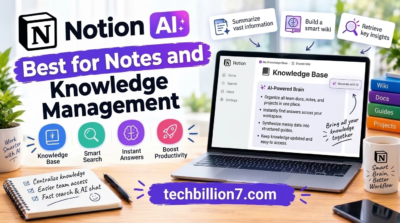
6. Notion AI – Best for Notes and Knowledge Management
Best AI Productivity Tools
Notion combines documents, notes, databases, and project organization in a shared workspace. Its AI features can help users draft content, summarize notes, organize information, and find answers within supported workspace content.
It can be especially useful for teams that keep project details, meeting notes, and internal documentation in Notion.
Key productivity uses:
- Summarizing meeting notes
- Drafting and improving documents
- Organizing project information
- Managing shared knowledge
- Finding information in connected workspaces
Notion AI is most valuable when users maintain their workspace regularly. An organized knowledge base makes it easier for teams to find and reuse useful information.
7. Grammarly – Best for Writing and Editing
Grammarly helps users improve written communication by checking grammar, spelling, clarity, and tone. Its AI writing features can also assist with rewriting sentences and developing drafts.
It is useful for professionals who write emails, articles, reports, proposals, and business messages regularly.
Key productivity uses:
- Checking grammar and spelling
- Improving sentence clarity
- Adjusting writing tone
- Rewriting awkward sentences
- Reviewing professional communication
Grammarly can make editing faster, but users should review suggested changes to ensure the final message communicates the intended meaning.
8. Zapier – Best for AI Workflow Automation
Zapier connects different applications and helps users automate repetitive tasks. Instead of manually moving information between services, users can create workflows that trigger actions when specific events occur.
For example, a business might create a workflow that sends a notification when a form is submitted or transfers new customer information into another application. AI-related steps can also be included in supported workflows.
Key productivity uses:
- Connecting different applications
- Automating repetitive tasks
- Moving information between services
- Creating notification workflows
- Supporting AI-powered processes
Zapier is a useful option for people who want to explore AI workflow automation without building every integration from scratch. Before activating a workflow, test it carefully and review which data is shared between connected services.
9. ClickUp – Best for Project and Task Management
ClickUp is a project management platform that helps individuals and teams organize tasks, track progress, manage deadlines, and collaborate. Its AI features can assist with writing, summarizing work information, and finding relevant details within supported workspaces.
Instead of keeping project updates in separate documents and messages, teams can use a shared platform to manage responsibilities and monitor progress.
Key productivity uses:
- Organizing tasks and deadlines
- Managing team projects
- Summarizing project updates
- Drafting task descriptions
- Supporting team collaboration
ClickUp can be useful for teams managing multiple projects. Its value depends on setting up clear workflows and avoiding unnecessary features that make task management complicated.
10. Otter.ai – Best for Meeting Notes and Transcription
Otter.ai helps users capture and organize spoken information from meetings. Its supported features include transcription and AI-generated meeting summaries, making it easier to review important discussions.
For teams that attend frequent online meetings, manually writing every detail can be time-consuming. A meeting assistant can help create a written record and highlight important discussion points.
Key productivity uses:
- Transcribing supported meetings
- Creating meeting summaries
- Reviewing important discussion points
- Identifying action items
- Keeping searchable meeting records
Always inform meeting participants and follow applicable privacy rules before recording or processing conversations.
How AI Productivity Tools Improve Your Workflow
The main benefit of AI productivity tools is not simply generating content faster. Their real value comes from helping people organize work and reduce unnecessary manual steps.
Here are several ways they can improve everyday workflows:
Reduce Repetitive Tasks
AI assistants and automation platforms can help handle recurring activities such as drafting routine messages, summarizing documents, and transferring information between applications. This gives professionals more time for tasks that require judgment and creativity.
Improve Organization
Project management platforms can bring tasks, deadlines, and team updates into one place. AI-supported summaries and suggestions can make large amounts of information easier to review.
Support Better Communication
Writing assistants can help users improve clarity, correct mistakes, and adjust the tone of professional messages. Meeting transcription tools can also make important discussions easier to revisit.
Make Research More Efficient
AI research assistants can help users explore unfamiliar subjects, summarize information, and identify relevant sources. Human review remains important because AI-generated answers can contain errors or incomplete explanations.
How to Choose the Right AI Productivity Tool
Before paying for a subscription, identify the specific problem you want to solve. A tool that works well for writing may not be suitable for project management or automation.
Consider these factors:
- Your main requirement: Decide whether you need help with writing, research, meetings, scheduling, or task management.
- Ease of use: Choose a platform that fits your existing routine and does not require unnecessary setup.
- Integrations: Check whether it works with the applications you already use.
- Pricing: Compare free access, paid plans, usage limits, and features before subscribing.
- Privacy and security: Review how the provider handles your information, especially when working with confidential business data.
- Output quality: Test the tool on real tasks and review its results before relying on it.
The most effective setup is not necessarily the one with the most applications. A small collection of tools that solves your actual problems can be easier to manage.
Frequently Asked Questions
1. What are the best AI productivity tools?
Popular options include ChatGPT, Google Gemini, Microsoft 365 Copilot, Claude, Perplexity, Notion AI, Grammarly, Zapier, ClickUp, and Otter.ai. The best choice depends on your specific work requirements.
2. Can AI productivity tools save time?
Yes. They can help reduce time spent on repetitive activities such as drafting messages, summarizing documents, organizing information, and managing routine workflows. The amount of time saved depends on the task and how effectively the tools are used.
3. What is AI workflow automation?
AI workflow automation uses artificial intelligence and connected applications to help complete tasks with less manual involvement. For example, a workflow might process submitted information, generate a summary, and send a notification through connected services.
4. Are AI productivity tools suitable for small businesses?
Yes. Small businesses can use AI tools for writing, customer communication, research, project organization, and repetitive administrative tasks. It is sensible to begin with a specific business need and expand only when a tool provides clear value.
5. Are free AI productivity tools available?
Yes. Several platforms offer free plans or limited free access. However, usage limits, advanced features, integrations, and storage options may require a paid subscription.
Conclusion
The best AI productivity tools can help individuals and businesses improve how they write, research, communicate, organize projects, and manage everyday responsibilities. Platforms such as ChatGPT, Gemini, and Claude provide general AI assistance, while Grammarly, Perplexity, Zapier, ClickUp, and Otter.ai address more specific productivity needs.
The right combination depends on your daily tasks, existing software, budget, and privacy requirements. Start with one or two tools that solve a real problem, test their results, and build a workflow around what genuinely helps. With thoughtful use and human oversight, AI can become a valuable part of a more organized and efficient working routine.
Related articles
Keep reading more from this topic.

AI Safety Summit Monday: Key Discussions, Global AI Risks, and the Future of Artificial Intelligence Governance
Introduction Artificial intelligence is transforming industries, businesses, education, healthcare, and communication. However, as AI…

How to Deal With Character AI Swipe Limit During Conversations
Character AI has become a popular platform for users who enjoy interactive conversations with…

Artex AI and the Future of AI-Powered Digital Creativity
Artificial intelligence is changing how people create, design, and interact with digital content. From…
COMMENTS