
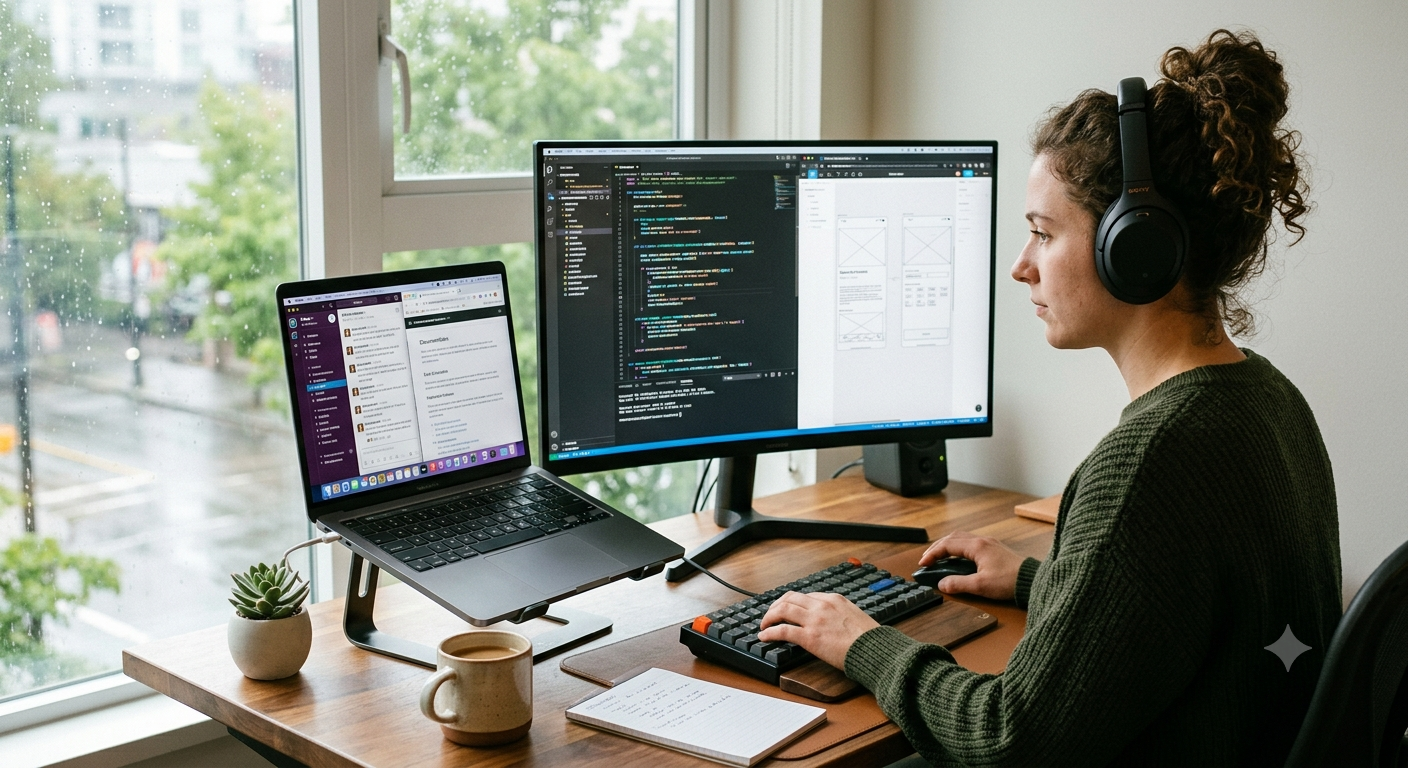
Introduction Remote work has transformed the way people perform their daily tasks, communicate with teams, and manage projects. As professionals cont
Introduction
Remote work has transformed the way people perform their daily tasks, communicate with teams, and manage projects. As professionals continue to work from home, finding ways to improve efficiency has become a top priority. One strategy that has gained significant popularity is The Two-Screen Productivity Hack. By using two screens instead of one, remote workers can streamline their workflow, reduce distractions, and complete tasks more effectively. Whether you’re a freelancer, virtual assistant, developer, marketer, or business owner, The Two-Screen Productivity Hack can dramatically improve your work experience and productivity.
What Is The Two-Screen Productivity Hack?
The Two-Screen Productivity Hack refers to using two displays simultaneously to increase efficiency while working. Typically, one screen is used for the primary task, while the second screen is dedicated to supporting applications such as email, communication tools, research materials, or project management software.
Instead of constantly switching between tabs and windows, users can keep important information visible at all times. This simple adjustment creates a smoother workflow and helps workers stay focused throughout the day. As remote work becomes more common, dual-screen setups are quickly becoming a standard feature in productive home offices.
Increased Efficiency and Faster Workflow
One of the biggest reasons remote workers love The Two-Screen Productivity Hack is the significant boost in efficiency. Switching between multiple applications on a single monitor can waste valuable time and interrupt concentration. Even a few seconds spent changing windows repeatedly can add up over an entire workday.
With two screens, employees can keep their main work on one display while viewing references, emails, spreadsheets, or collaboration tools on the other. This eliminates unnecessary interruptions and allows tasks to be completed faster.
For example, a content writer can write an article on one screen while researching on the second. A graphic designer can edit images on one monitor while reviewing client feedback on another. These small improvements create a more productive and organized workspace.
Better Multitasking Without Feeling Overwhelmed
The Two-Screen Productivity Hack
Multitasking is often necessary in remote work environments. Employees frequently need to manage meetings, projects, emails, and deadlines simultaneously. The Two-Screen Productivity Hack makes multitasking easier by providing dedicated space for different activities.
Rather than overcrowding a single display with multiple windows, workers can separate tasks logically across two screens. Video calls can remain open on one monitor while notes or presentations are displayed on the other. This setup reduces mental strain and allows users to focus on important information without feeling overwhelmed.
The result is a more comfortable working experience that helps maintain concentration even during busy workdays.
Improved Communication and Collaboration
Remote teams rely heavily on digital communication tools such as Slack, Microsoft Teams, Zoom, and Google Meet. Constantly checking messages while working can disrupt productivity when using only one screen.
This is where The Two-Screen Productivity Hack becomes extremely valuable. Workers can keep communication platforms open on one monitor while continuing their primary tasks on the other. This allows them to respond quickly to messages, participate in meetings, and stay updated without interrupting their workflow.
For managers and team leaders, dual-screen setups are especially useful because they often need to monitor team activities while handling multiple responsibilities. Improved communication leads to better collaboration and stronger team performance.
Enhanced Focus and Reduced Distractions
Many people assume that adding another screen creates more distractions, but the opposite is often true. The Two-Screen Productivity Hack helps workers stay organized by giving every task a dedicated space.
Instead of searching through dozens of tabs and windows, users know exactly where everything is located. This organization reduces frustration and allows employees to focus on meaningful work. A cleaner digital workspace often translates into a clearer mindset.
When information is easily accessible, workers spend less time managing windows and more time completing important projects. This improved focus can lead to higher-quality work and better overall performance.
Ideal for Different Remote Work Professions
One reason The Two-Screen Productivity Hack has become so popular is its versatility. It benefits professionals across various industries and job roles.
Writers can research and draft content simultaneously. Programmers can write code on one screen while testing applications on another. Accountants can compare financial documents without constantly switching views. Customer support representatives can manage tickets while accessing knowledge bases.
Even students and online learners can benefit by attending virtual classes on one screen while taking notes on the second. The flexibility of a dual-screen setup makes it useful for nearly any profession that involves digital work.
Setting Up the Perfect Two-Screen Workspace
Creating an effective dual-monitor workspace does not have to be expensive. Many remote workers use a laptop paired with an external monitor. Others prefer two matching monitors for a more professional appearance and consistent viewing experience.
Proper positioning is important. Screens should be placed at eye level to reduce neck strain and improve comfort during long working hours. Good lighting and an ergonomic chair can further enhance productivity.
The goal of The Two-Screen Productivity Hack is not simply to add more screens but to create a workspace that supports efficiency, comfort, and organization.
Conclusion
Remote work continues to evolve, and professionals are constantly searching for ways to improve performance. The Two-Screen Productivity Hack has emerged as one of the simplest and most effective productivity strategies available today. By reducing window switching, improving multitasking, enhancing communication, and supporting better organization, dual-screen setups help remote workers accomplish more in less time.
Whether you’re working from home full-time or managing a hybrid schedule, implementing The Two-Screen Productivity Hack can significantly improve your workflow and overall job satisfaction. It’s a small change that often delivers impressive results.
FAQs
1. What is The Two-Screen Productivity Hack?
It is a productivity method that uses two screens simultaneously to improve workflow, multitasking, and efficiency.
2. Does a dual-monitor setup really increase productivity?
Yes, many professionals find that dual monitors reduce time spent switching between applications and improve overall efficiency.
3. Who benefits most from The Two-Screen Productivity Hack?
Remote workers, freelancers, programmers, writers, designers, marketers, and students can all benefit from a dual-screen setup.
4. Do I need two monitors for this productivity hack?
Not necessarily. A laptop combined with an external monitor can also provide the benefits of a two-screen workspace.
5. Is the Two-Screen Productivity Hack expensive?
No. Many affordable monitor options are available, and even a basic second screen can significantly improve productivity.

COMMENTS